Tradingview Alert 2 Telegram Extension
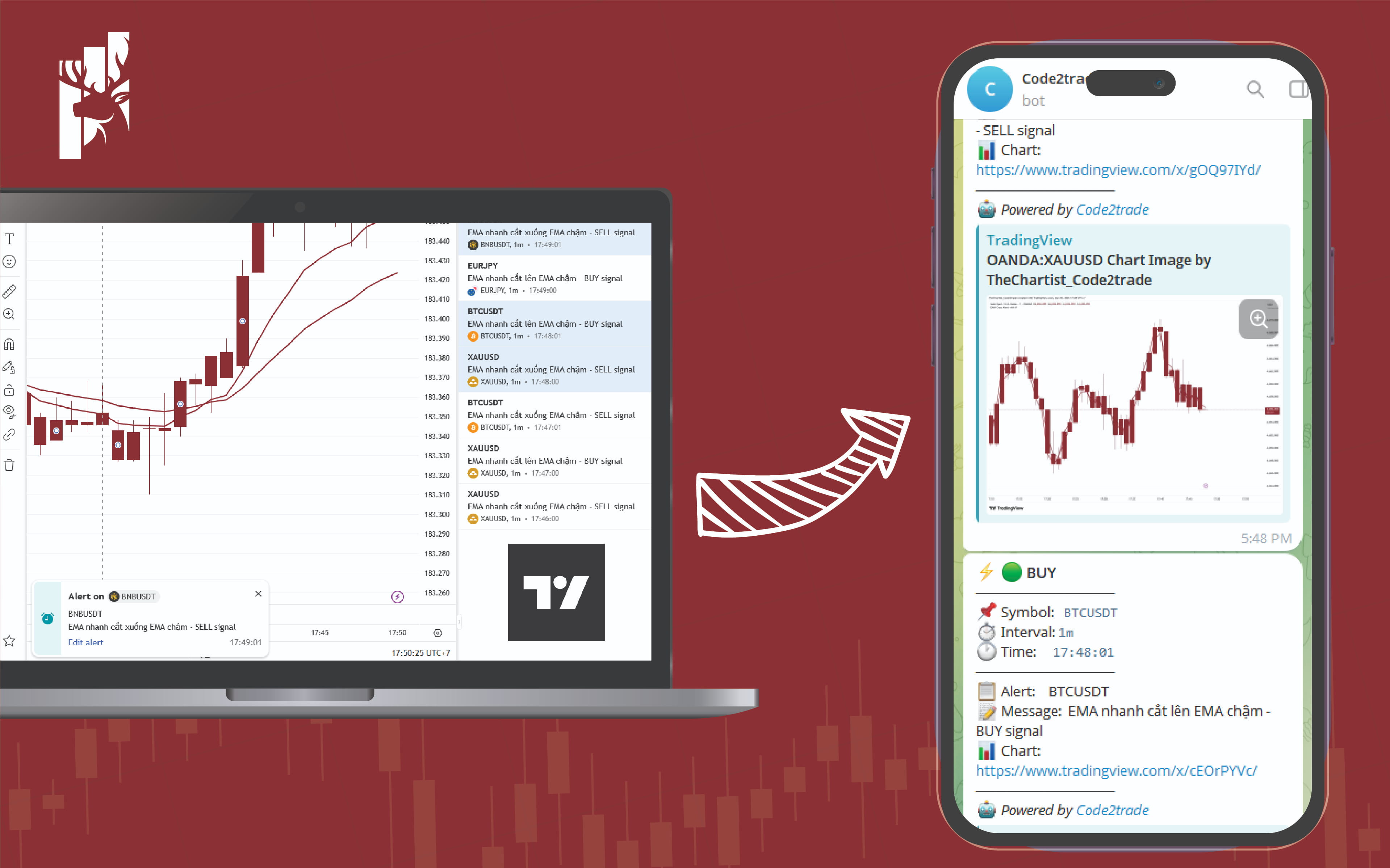
📡 TRADINGVIEW → TELEGRAM — NO PREMIUM REQUIRED, WITH CHART SCREENSHOTS
Setting up TradingView alerts to Telegram usually means hitting these walls:
❌ Webhooks require a Premium account with 2FA enabled
❌ Even with Webhooks, you only get text — no chart image
❌ Multiple alerts firing at once can get lost or duplicated
This extension solves all three problems.
──────────────────────────────────────
🆓 FREE ACCOUNT FRIENDLY — NO PREMIUM, NO WEBHOOK NEEDED
──────────────────────────────────────
Works directly inside your browser by monitoring TradingView’s Alert Log in real time. No Webhook setup, no 2FA, no paid subscription required. A free TradingView account is all you need.
──────────────────────────────────────
📸 EVERY ALERT COMES WITH AN AUTOMATIC CHART SCREENSHOT
──────────────────────────────────────
When an alert fires, the extension automatically:
→ Navigates the chart to the exact symbol and timeframe
→ Waits for live market data to fully load
→ Captures a chart snapshot at the moment the alert triggered
→ Sends it to Telegram with the image link — previewed directly in the message
No more manually opening TradingView to check what the chart looked like.
──────────────────────────────────────
⚡ HANDLES MULTIPLE ALERTS, SYMBOLS & TIMEFRAMES SIMULTANEOUSLY
──────────────────────────────────────
Built-in job queue designed for high-volume alert workflows:
→ Accepts unlimited simultaneous alerts — nothing gets dropped
→ Processes each alert in order — chart image always matches the alert
→ Auto-retries on network errors (up to 3 times with backoff)
→ Persists queue to storage — survives browser interruptions
──────────────────────────────────────
🚀 HOW TO USE
──────────────────────────────────────
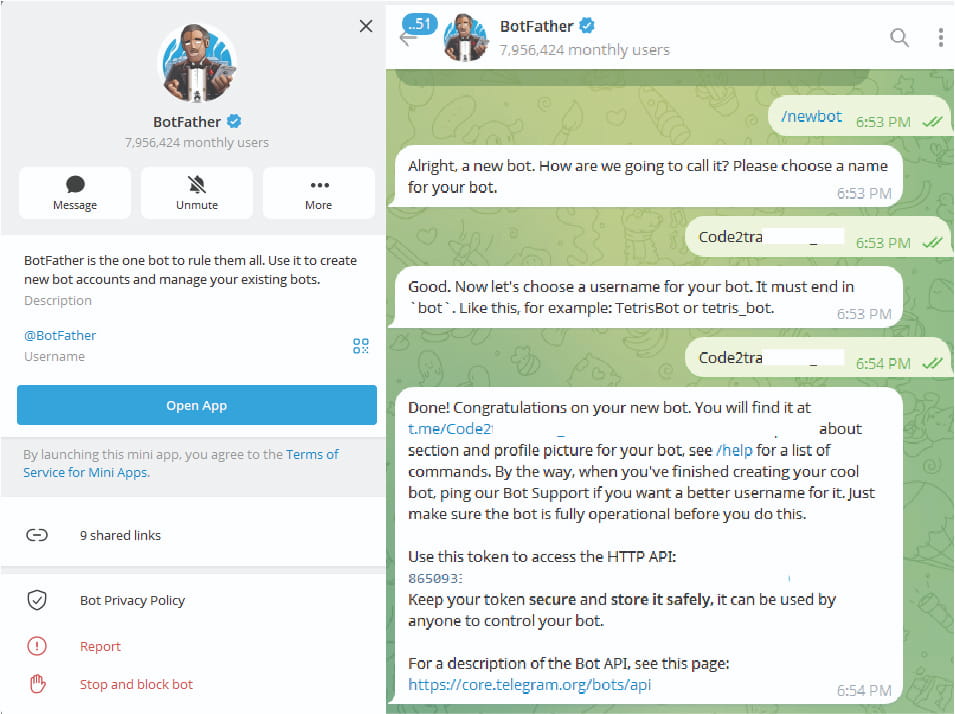
STEP 1 — CREATE YOUR TELEGRAM BOT
1. Open Telegram → search for @BotFather
2. Send the command /newbot
3. Follow the prompts: enter a display name, then a username ending in “bot”
4. BotFather replies with your Bot Token — looks like: 123456789:AABBCCxxx
→ Copy and save this token
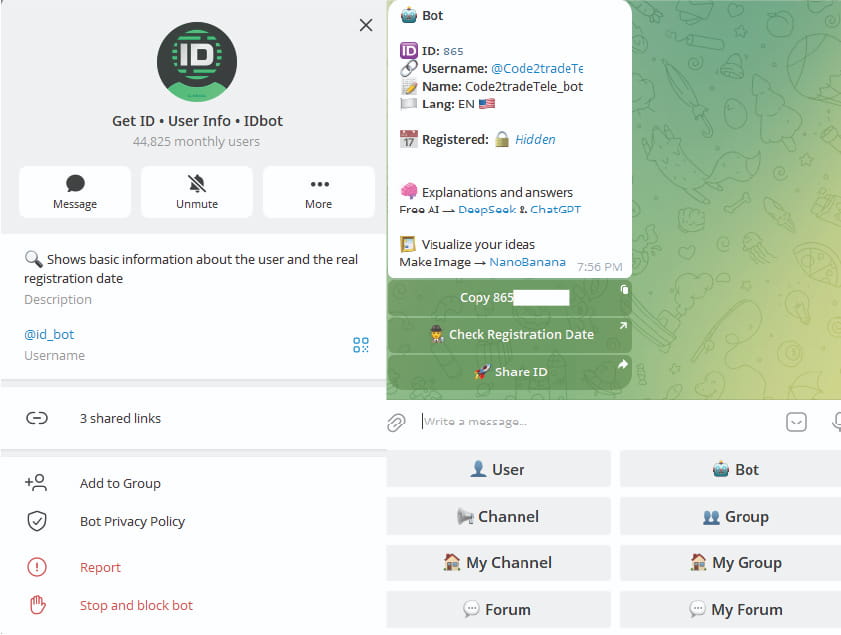
STEP 2 — GET YOUR CHAT ID
1. Create a Telegram group or channel where you want to receive alerts
2. Add your bot to that group/channel
3. Search for @id_bot on Telegram → forward any message from your group to it
→ It will reply with the Chat ID (starts with -100 for groups/channels)
→ Copy that number
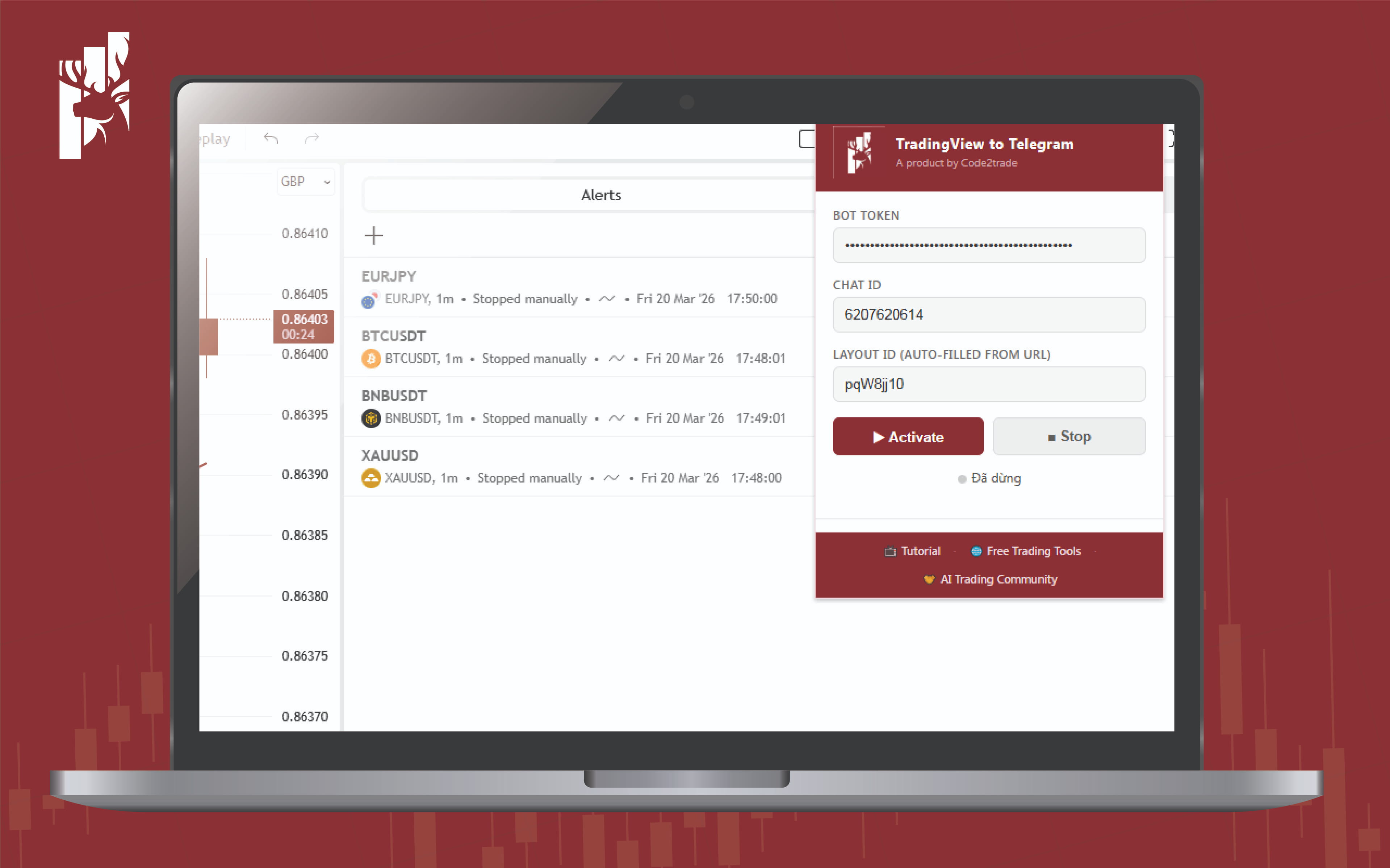
STEP 3 — SET UP THE EXTENSION
1. Install this extension → log into TradingView on Chrome
2. Open the extension popup → paste your Bot Token and Chat ID
3. Layout ID is auto-filled from your current chart URL
4. Click Activate → Keep Chrome open, do not close the TradingView window that pops up, and leave the computer running.
Set up alerts on TradingView as you normally would — the extension handles the rest.